
MAX STUDIO · AEROFLY FS 4
FLIGHT MAX
PUSHBACK
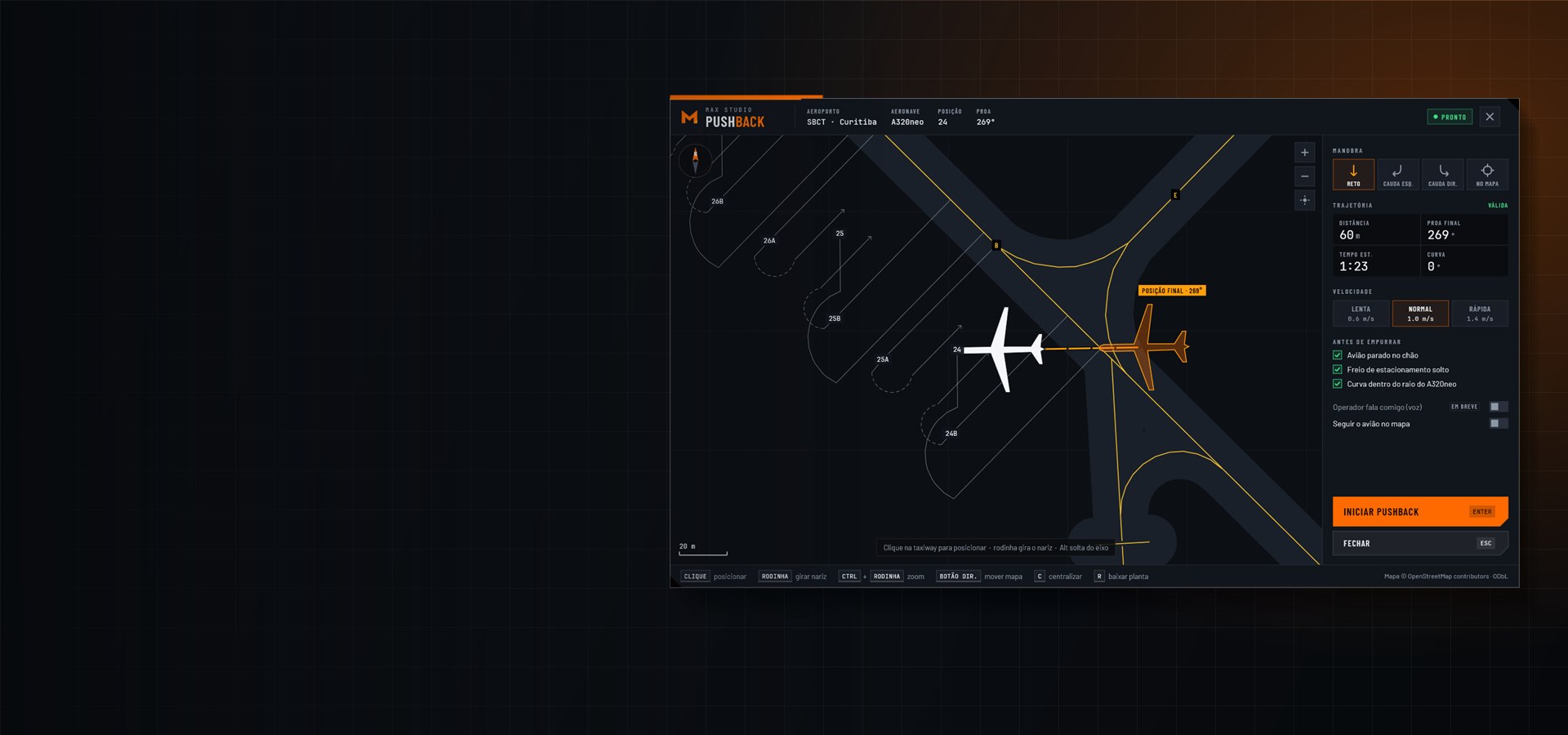
Pushback automático com o mapa do aeroporto: escolha a posição final, aperte Enter e o rebocador faz o resto.
Automatic pushback with the airport map: pick the final position, press Enter and the tug does the rest.
Comprar agora — R$ 19,99Buy now — R$ 19,99O PLUGINTHE PLUGIN
Do gate para a taxiway, sem brigar com o rebocador.
From the gate to the taxiway, without fighting the tug.
No Aerofly FS 4 o pushback é manual: você empurra com a manete e aponta a bequilha com o leme. O Flight Max Pushback assume esse trabalho. Aperte Shift+P, clique no mapa onde o avião deve terminar e ele empurra, faz a curva e para no ponto, com o nariz alinhado.
In Aerofly FS 4 pushback is manual: you push with the throttle and steer the nose wheel with the rudder. Flight Max Pushback takes over. Press Shift+P, click on the map where the aircraft should end up, and it pushes, turns and stops on the spot with the nose aligned.
Nos testes no Aerofly, o avião parou a menos de 1 metro do ponto escolhido e com a proa a 1 ou 2 graus do alvo.
In Aerofly tests the aircraft stopped less than 1 meter from the chosen spot, with the heading within 1 or 2 degrees.
COMO FUNCIONAHOW IT WORKS
- Shift+PNo gate, o Aerofly engata o rebocador e a janela do pushback abre.At the gate, Aerofly connects the tug and the pushback window opens.
- CliqueClickEscolha a posição final na taxiway e gire o nariz com a rodinha.Pick the final position on the taxiway and turn the nose with the mouse wheel.
- EnterO rebocador empurra, vira e para. Depois é só soltar com Shift+P.The tug pushes, turns and stops. Then release it with Shift+P.
REQUISITOSREQUIREMENTS
- Aerofly FS 4 no PC (Windows 10 ou 11, 64 bits)
- Modo de tela "janela sem bordas" (a janela do pushback não aparece em tela cheia exclusiva nem no VR)
- Avião com bequilha esterçável e pushback do Aerofly (aviões de linha)
- Internet na primeira vez em cada aeroporto
- Aerofly FS 4 on PC (Windows 10 or 11, 64-bit)
- "Borderless window" display mode (the pushback window does not show in exclusive fullscreen or VR)
- Aircraft with steerable nose wheel and Aerofly pushback (airliners)
- Internet the first time at each airport
A JANELATHE WINDOW
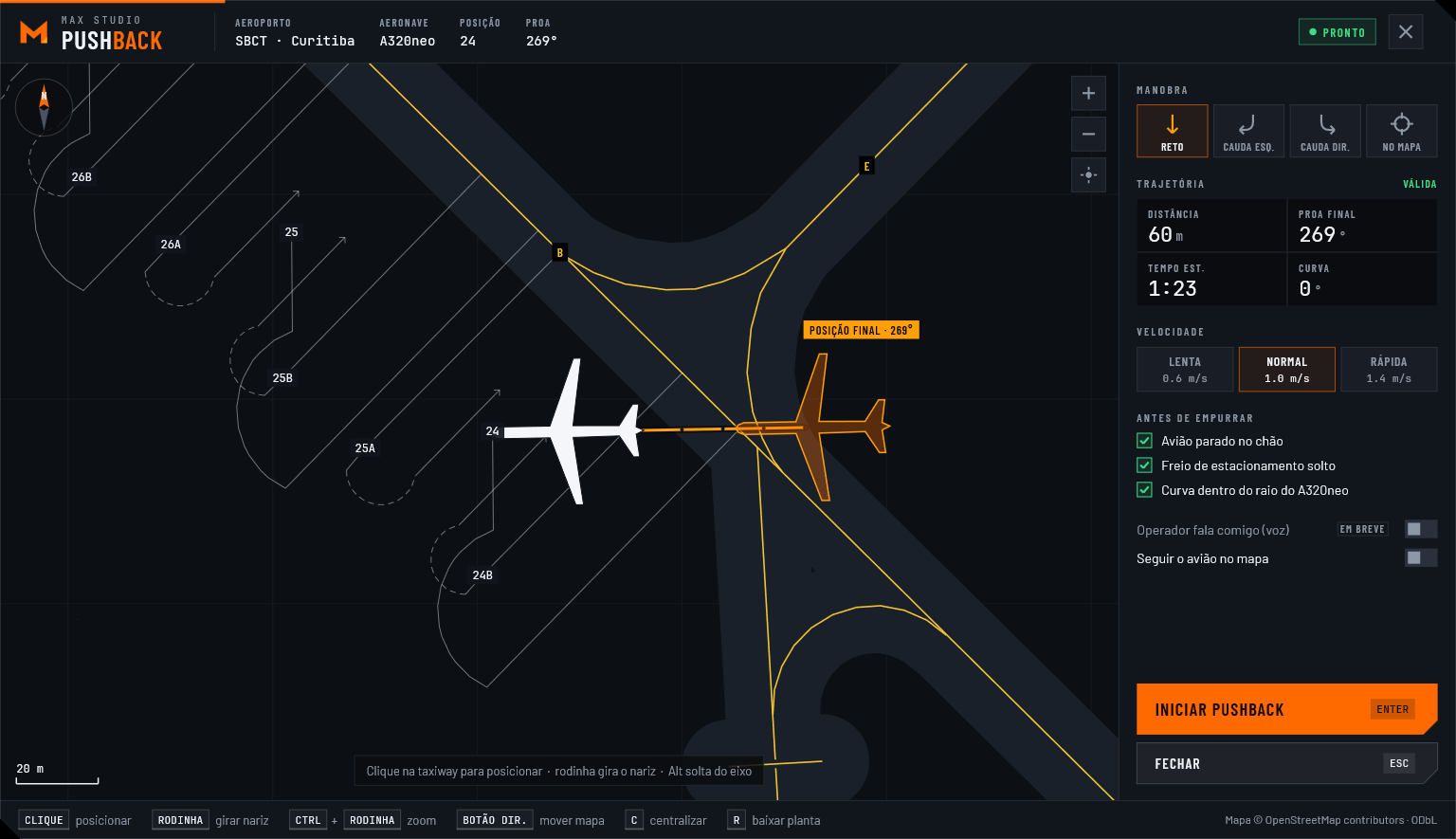
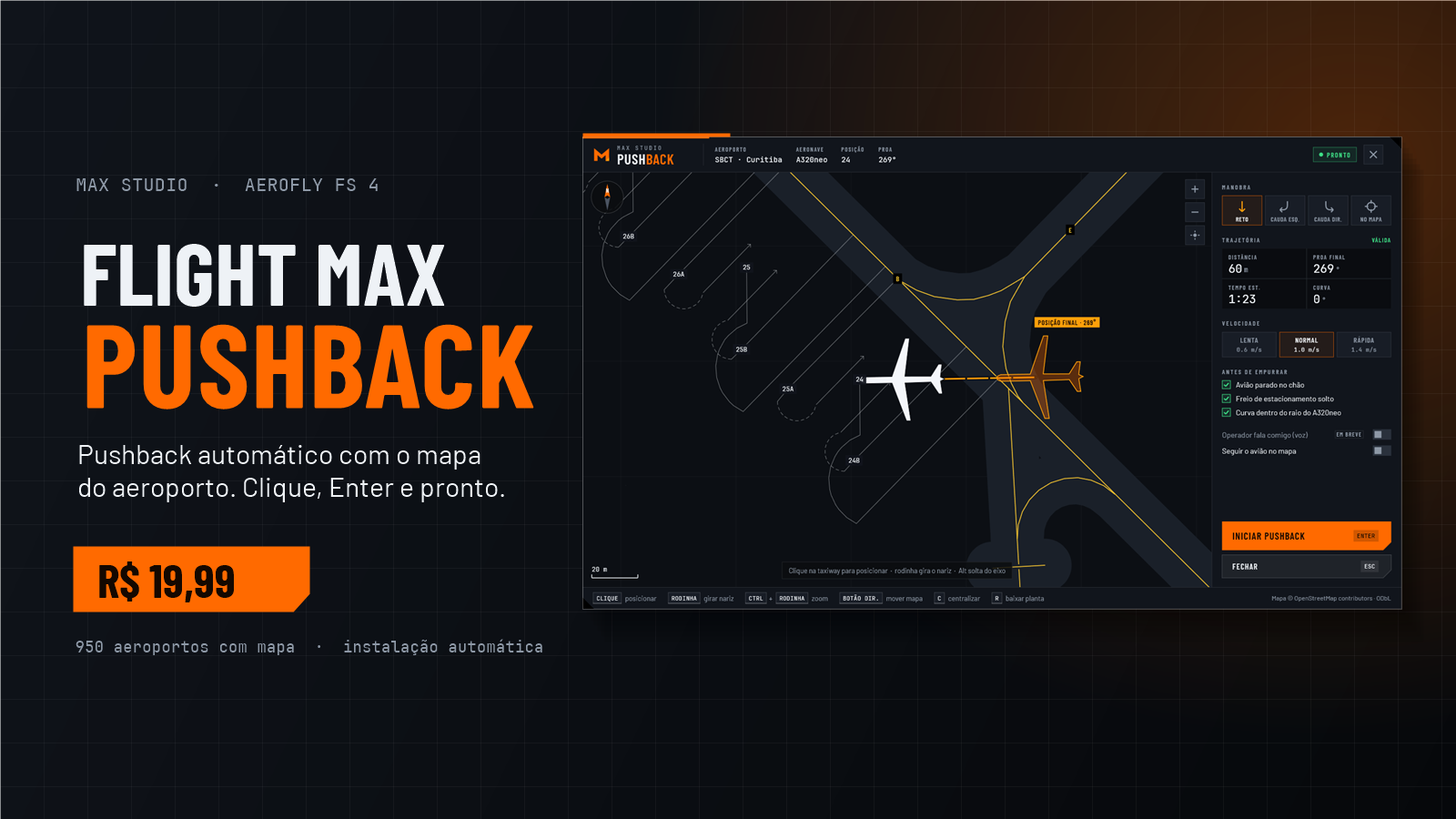
Tudo o que você precisa numa tela só.
Everything you need on one screen.
Mapas © OpenStreetMap contributors (ODbL). Aerofly FS é marca da IPACS; produto independente, não oficial.Maps © OpenStreetMap contributors (ODbL). Aerofly FS is a trademark of IPACS; independent, unofficial product.